
How to Turn Garden Photos Into a Finished Wedding Concept Video With Hedra Agent
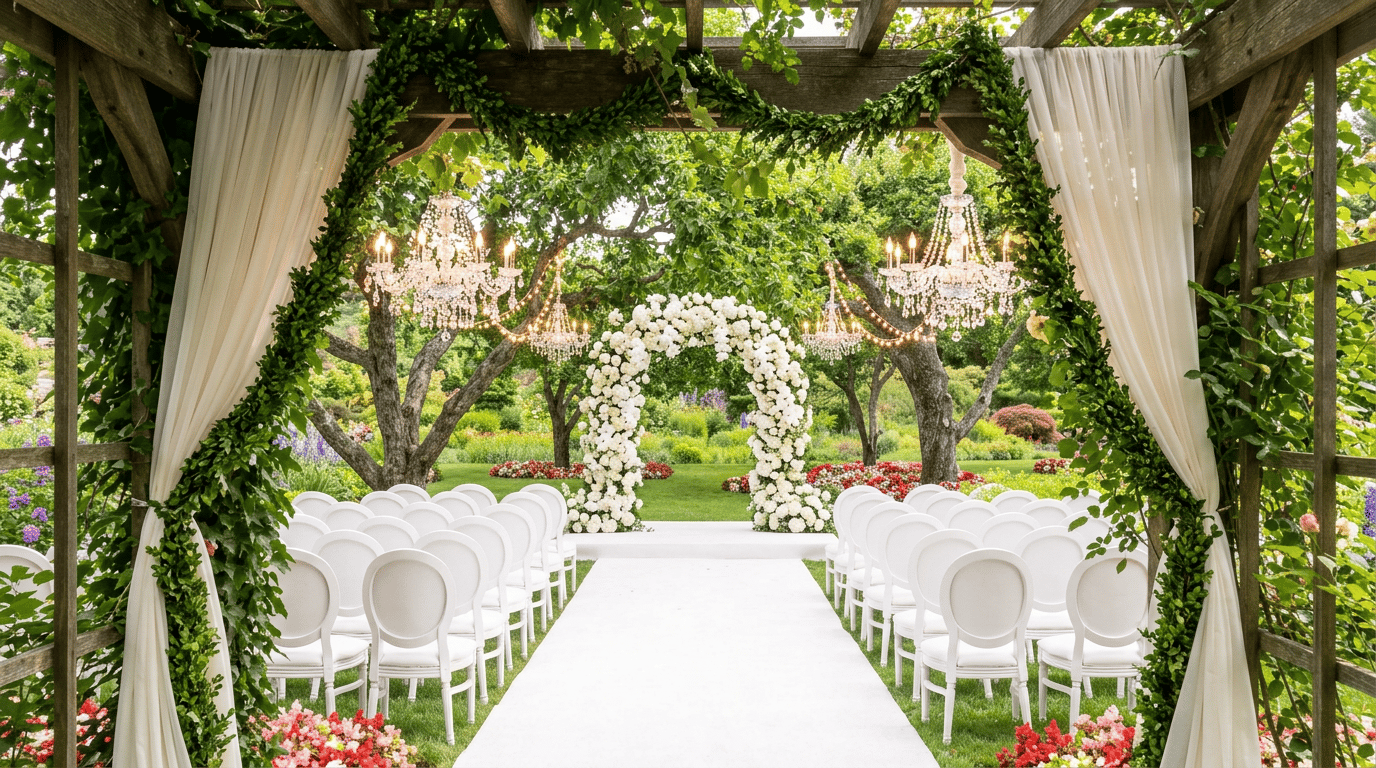
Quick answer: Hedra Agent lets event and wedding planners turn a folder of raw venue photos into a styled concept video in six steps: upload photos to Google Drive, connect Drive and Gmail, prompt the agent to design a concept, request a style variation, generate a video walkthrough, and send it to the client — all inside one workspace, with no exporting or manual file handling required.
What is Hedra Agent used for in event planning?
Hedra Agent lets wedding and corporate event planners generate mockups of a venue directly from uploaded photos. Instead of building mood boards manually in separate design tools, a planner can prompt the agent in plain language and get styled visuals — and eventually a video — of what the finished event space could look like.
The 6-Step Workflow
Step 1: Upload venue photos to a Google Drive folder
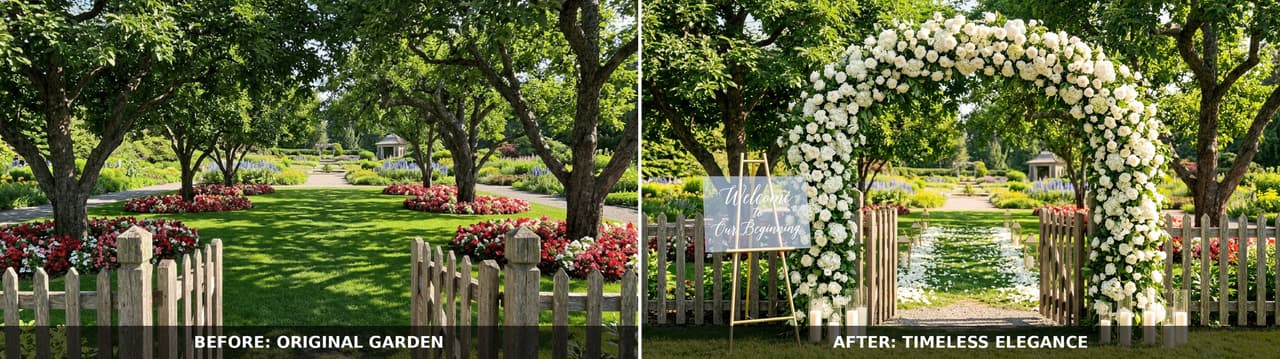
Create a folder — for example, "Garden Wedding" — and upload photos of each area of the space: the arbor, the reception lawn, the pathway, the seating area. Hedra Agent pulls source material directly from this folder, so there's no need to attach files manually later.
Step 2: Connect Google Drive and Gmail
Linking Google Drive and Gmail through Hedra's connectors keeps the whole workflow inside one space. Once connected, the agent can read source photos and later send finished files without the planner downloading or re-uploading anything.
Step 3: Set the scene with a role-based prompt
A role-based prompt gives the agent context to work from. For example:
"You are a wedding planner. Pull from the 'Garden Wedding' folder which contains the different areas of the garden where the wedding is taking place. Use your imagination to create a beautiful wedding experience and decor."
This framing is enough for the agent to start generating initial concept images.
Step 4: Try different creative angles
Once initial images look promising, planners can request a new direction without starting over — for example:
"I like the direction you're going. The client wants to see this in a timeless elegance style."
The agent regenerates the same venue areas in the new style, and both sets appear side-by-side on the canvas for comparison.
Step 5: Bring it to life with a video walkthrough
A detailed prompt turns a still image set into a short video walkthrough. For example:
"Generate a short video clip (3–4 seconds each) from every image in the 'timeless elegance' set, in the order they appear. Preserve each image's original detail, lighting, and color accuracy and avoid warping, blurring, or distorting textures or fine details during motion. Use subtle, slow camera movement (gentle zoom-in or pan) for each clip and avoid fast or jarring motion, keeping movement smooth and natural with no jitter or artifacts. Render at the highest available resolution with sharp focus throughout. Output each clip in 16:9 landscape format. Stitch the clips together in sequence using smooth crossfade transitions (0.5–1 second) into a single video. Add an instrumental romantic soundtrack, for example soft piano or strings, slow tempo, no vocals."
The result is a single, continuous video the client can watch to picture their event before it happens.
Step 6: Send the finished images and video straight to the client
With Gmail connected, the planner can simply say:
"Send the finished video to the client's email saying 'Here is the timeless elegance wedding style walkthrough of the venue.'"
No exporting, downloading, or manual attaching required — the file goes straight from the workspace to the inbox.
Or skip the send entirely — bring the client into the space. Instead of emailing the finished video, a planner can use Hedra's multiplayer feature to add the client directly to the same space. Once invited, the client sees the same canvas — the reference photos, the style variations, and the finished video walkthrough — without waiting on an email to land in their inbox.
Why this workflow saves planners time
The folder becomes the brief, and the conversation becomes the mood board. For a planner juggling multiple weddings at once, that means less time spent assembling reference decks by hand and more time spent deciding what the client sees first.
FAQ
Do I need design software to use this workflow? No. The entire process runs on uploaded photos and text prompts inside Hedra Agent — no separate design or video-editing tools are required.
Can I compare multiple styles for the same venue? Yes. Requesting a new style (Step 4) generates an additional set of images without replacing the original, so both can be compared side-by-side.
Does the client need any special software to view the result? No. The final output is a standard video file sent directly to the client's email.
What connectors does this workflow require? Google Drive, for sourcing and storing photos, and Gmail, for sending the finished video without manual downloads or attachments.
Is this workflow limited to weddings? No. The same six steps apply to any event-space mockup — corporate events, product launches, or other venue-based planning — by swapping the folder contents and prompt details.